One flight. One entry.
Log your flight and include tach or Hobbs readings to update the tracked aircraft’s meters in the same entry. Your pilot totals and aircraft usage stay connected.

Log a flight once. Keep your pilot logbook, aircraft hours, and what’s next connected.
From flight logs and maintenance to oil analysis and the documents behind them, AeroSync brings your aviation records together—wherever you sign in.
Built by a pilot and aircraft owner. Beta access by invitation.
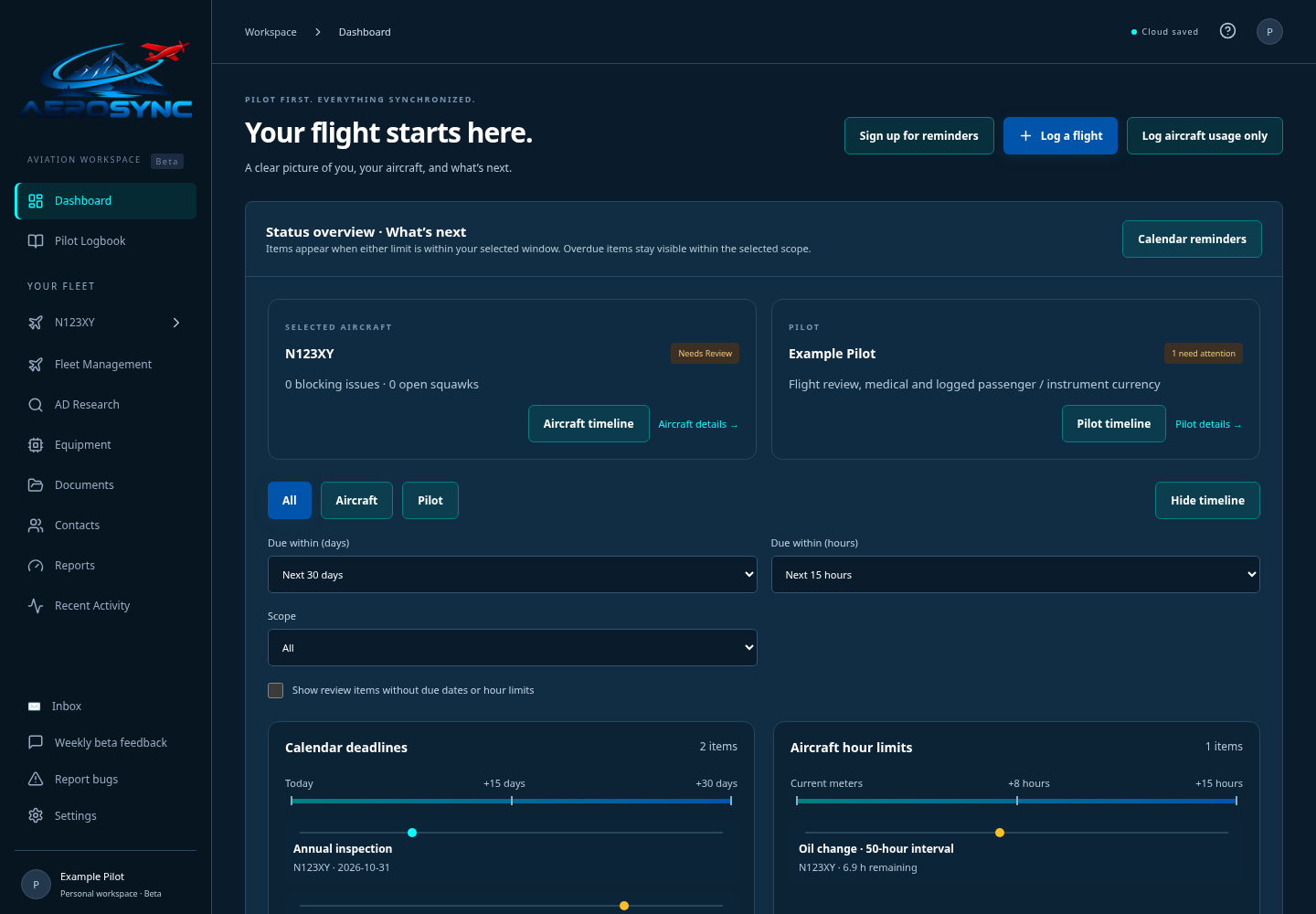
Actual workspace, with sample records
MORE THAN ANOTHER LOGBOOK
A flight shouldn’t mean entering the same information in several places. AeroSync connects the flying you do with the aircraft you fly and the records you need to keep.
Log your flight and include tach or Hobbs readings to update the tracked aircraft’s meters in the same entry. Your pilot totals and aircraft usage stay connected.
See upcoming inspections, service intervals, pilot currency and open squawks against your saved records. Spend less time hunting through separate trackers.
Flight logs, maintenance entries, oil reports and original documents have a home together. Find the record and the evidence behind it when you need them.
LOG ONCE. FOLLOW THE CONNECTIONS.
Choose your aircraft, record the flight, and add its meter readings. AeroSync carries those details through the records that use them.
Time, landings, approaches and the experience you want to record.
Logbook totals and currency calculations reflect your saved flights.
Included tach and Hobbs readings update the selected aircraft’s usage.
Review maintenance limits and upcoming requirements against the latest recorded hours.
Someone else flying your aircraft? Log aircraft usage on its own, without adding time to your pilot logbook.
THIS IS AEROSYNC
These are screenshots of the current software, using example records. Explore the tools you’ll use to manage your own flying.
See all featuresSee pilot currency and upcoming aircraft requirements together. Focus the timeline on the dates and hours that matter to you.

THE HEART BEHIND AEROSYNC
Years ago, I started looking for a better way to manage my pilot flight logs and keep track of my airplane’s airworthiness. The flying was connected. The records felt scattered.
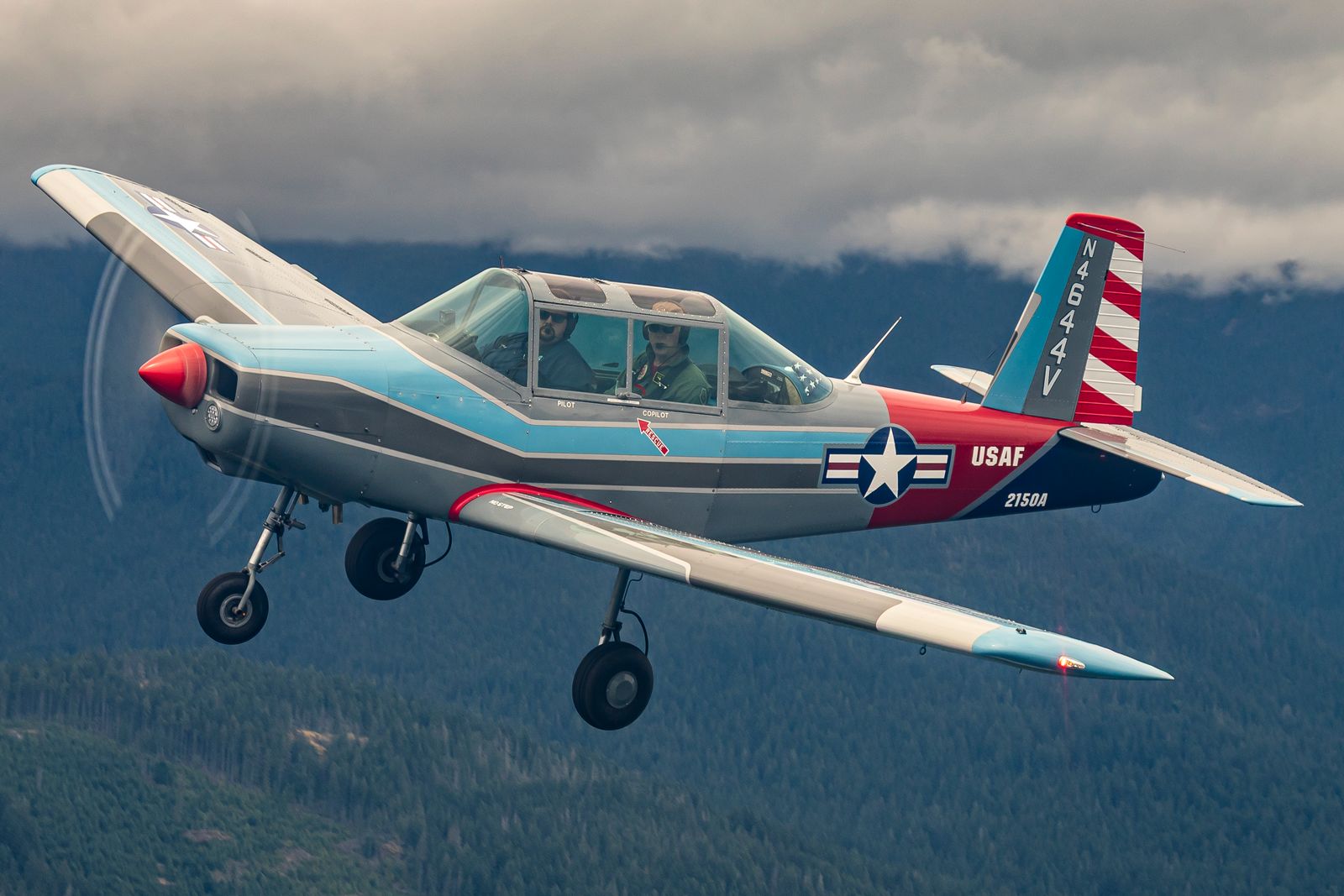
I’ve been flying for over nine years, and for the last six I’ve owned and operated a 1978 Varga Kachina—flying for fun, at airshows, and in formation. I wanted less duplicate recordkeeping and a clearer view of everything that needed my attention.
That’s why I built AeroSync. My vision is one home for a pilot’s aviation documentation: log a flight once, keep the records connected, and have the information you need at your fingertips, wherever you are.
Now I’d like to hear from pilots and owners like you. Use it in your own flying life and help me make the details work better.
Help shape AeroSyncBUILT WITH THE PEOPLE WHO WILL USE IT
You don’t need to be a software tester. We’re inviting pilots and aircraft owners to use AeroSync for their everyday recordkeeping and tell us what feels useful, confusing, or missing.
Request beta access with a little about yourself and how you’d like to use AeroSync. Trent reviews requests and sends invitations.
Set up your pilot profile, add your aircraft, and bring over records. Use your own computer, tablet, or phone.
Log the flying you do and explore the records you keep. Share feedback or report a problem right from your workspace.
Request an invitation. We’ll be in touch with next steps.
Request access using the beta signup form. Trent reviews applications and sends invitations to approved participants. You’ll create your own account, verify your email, and follow the setup walkthrough. Applying does not automatically create an account.
No. We want pilots and aircraft owners to use AeroSync as they normally would: importing records, logging flights, tracking maintenance and finding documents. Tell us what works well and where you get stuck. Feedback and problem reporting are available in your workspace.
When logging a flight in a tracked aircraft, you can include its tach and Hobbs readings in the same entry. That flight contributes to your pilot totals and currency calculations, while the meter readings update aircraft usage and hour-based maintenance tracking. You don’t need a second aircraft-usage entry for that flight.
Yes. Pilot and maintenance logbooks support CSV, PDF and photo imports. Oil analysis also supports report imports. Review extracted entries against your originals before saving; handwriting and complex layouts may need corrections.
Use ‘Log aircraft usage only’ to record meter changes without adding hours or currency events to your pilot logbook. You can also log your own flights in aircraft outside your tracked fleet.
Yes. Sign in from a computer, tablet or phone to access your cloud workspace. Saved entries sync automatically. Records and files are private to your authenticated workspace; optional viewer/editor invitations share the whole workspace, so invite only people who should have that access.
Planned launch pricing is $20 per month or $175 per year, including two aircraft. Additional aircraft are $8 per month or $80 per year. A 15-day free trial is planned for launch. See Pricing for details; paid enrollment is not open yet.
No. AeroSync helps organize your documentation and track requirements from the information you enter and review. Keep signed originals and verify aircraft condition, applicable requirements and pilot qualifications against official sources. You remain responsible for those decisions.
YOUR FLYING. YOUR RECORDS. CONNECTED.
Join pilots and aircraft owners helping shape AeroSync. Request beta access and put it to work in your own aviation life.